PARTY — The Listing, Rebuilt
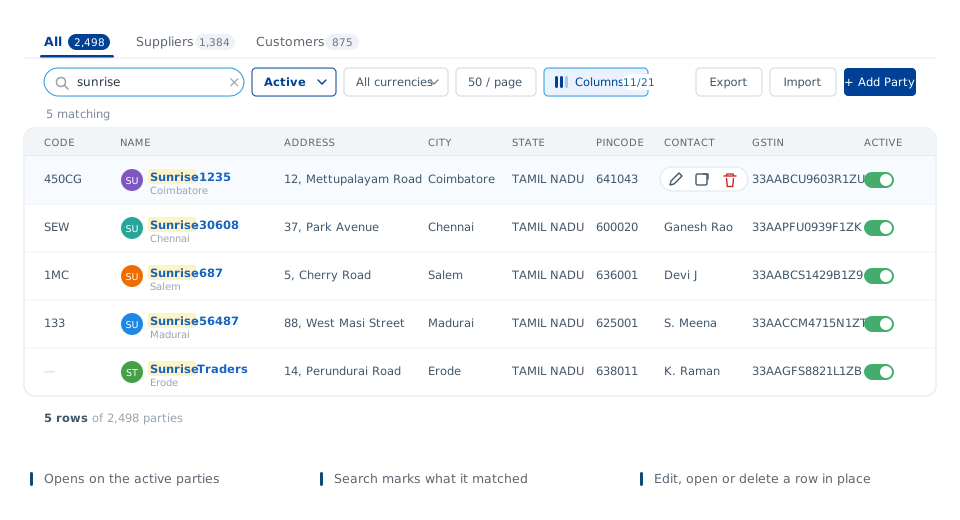
Party now opens on your active parties, with All, Suppliers and
Customers tabs above the toolbar. Searching marks the matched text inside the rows, and a count
under the box says how many are left. Pick your columns from Columns, and edit a party where it
sits with the pencil.
PARTY — One Form, Three Tabs, and a GSTIN It Checks
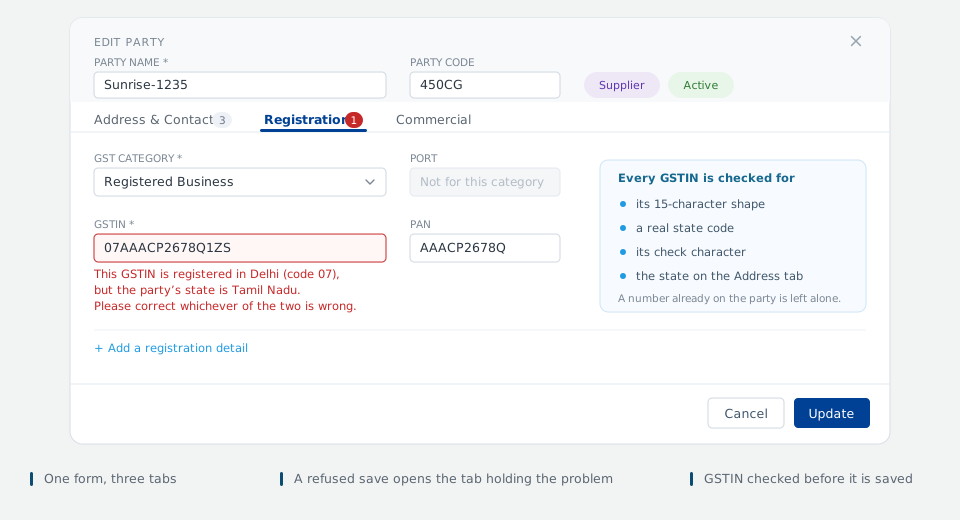
The party form is now one dialog in three tabs — Address & Contacts,
Registration and Commercial — with the name and code always above them. A refused save
opens the tab holding the problem, and every GSTIN you type or change is checked for its shape, its
state code, its check character and the state on the Address tab.
LISTING SCREENS — Faster, Across the Application
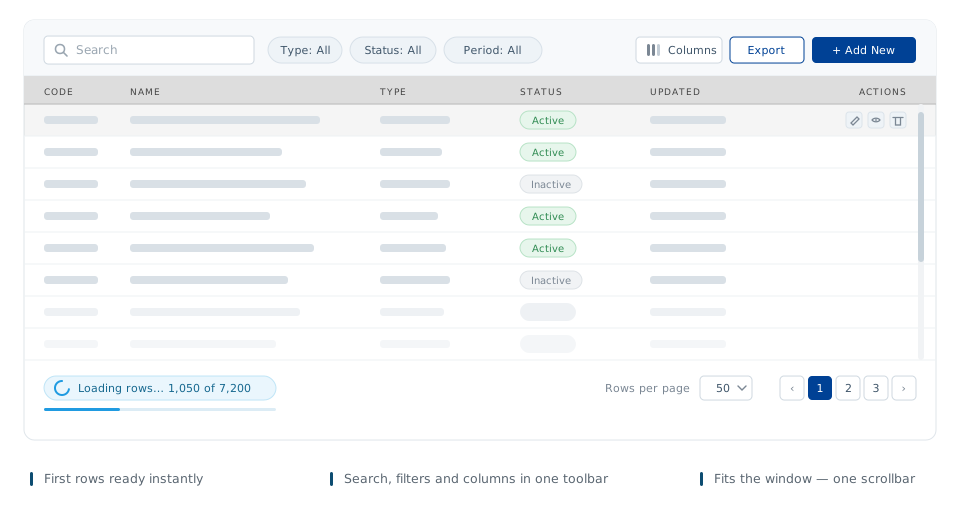
Every listing and report now opens with its first rows ready to use and fills in the rest in the
background, so there is no blank screen to wait on. Tables fit the window — one scrollbar instead of
two — and search, filters and the page actions sit together in a single toolbar.
 Accounts
 Purchase
 Sales
Sales
 Stores
 Production
 Profile